Integrating Mystic Stamp Brushes into Professional Digital Workflows
In the evolving landscape of digital art and graphic design, the efficiency of a creator often hinges on the quality and versatility of their toolset. Mystic Stamp Brushes represent a specific category of digital assets designed to bridge the gap between traditional textural aesthetics and modern digital precision. For designers working within Adobe Photoshop CS6 through CC, as well as those utilizing Procreate on iPad, these brushes offer a streamlined method for incorporating complex visual elements without the need for manual illustration from scratch. Understanding the technical specifications, compatibility, and practical applications of these resources is essential for professionals evaluating whether they fit their current project requirements.
Technical Specifications and Format Compatibility
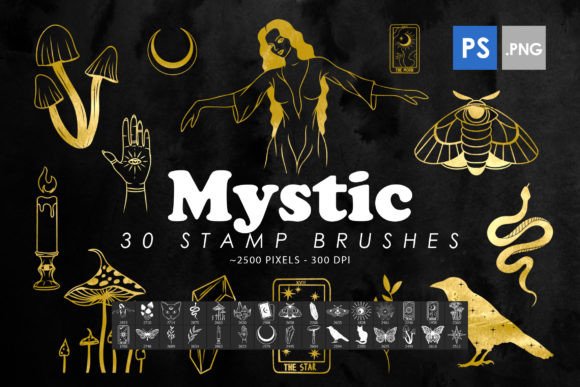
The core value proposition of any digital brush set lies in its resolution and format flexibility. The Mystic Photoshop Stamp Brushes are engineered with a high-resolution baseline, specifically sized at 2500 pixels. This dimension is critical for professional output. In digital design, resolution dictates scalability. A brush stamp that is too small will pixelate when enlarged for print media, such as posters or large-format cards. Conversely, excessively large files can bog down software performance. The 2500-pixel size strikes a balance, allowing for significant scaling while maintaining crisp edges and detailed textures.
These assets are distributed in the .ABR format, which is the native brush file type for Adobe Photoshop. This ensures immediate compatibility with a wide range of Adobe Creative Cloud versions, from the older CS6 to the most recent CC iterations. The .ABR format preserves not just the image data, but also the dynamic properties of the brush, such as spacing, scatter, and angle jitter, if configured. However, the utility of these brushes extends beyond the Adobe ecosystem. A notable feature of this specific collection is its ease of export into Procreate. For artists who hybridize their workflow between desktop and tablet, the ability to transfer these high-fidelity stamps ensures consistency across platforms. This cross-platform functionality reduces the friction often associated with switching devices, allowing for a seamless transition from initial sketching on an iPad to final refinement on a desktop.
Comparative Analysis: Stamps Versus Standard Brushes
To determine if Mystic Stamp Brushes are the right choice, it is necessary to distinguish them from standard painting brushes. Traditional brushes simulate the behavior of physical media—watercolor, oil, or charcoal—responding to pressure, tilt, and speed. They are generative tools, creating unique marks with every stroke. Stamp brushes, by contrast, are pre-rendered images placed onto the canvas with each click or drag. They are replicative rather than generative.
This distinction creates different use cases. If a designer needs organic, unpredictable variation, a standard textured brush might be superior. However, when the goal is consistency and speed, stamp brushes excel. For example, creating a border of intricate floral motifs using a standard brush would require meticulous hand-placement and rotation. With a stamp brush, the motif is predefined. The user controls placement, scale, and opacity, but the core design remains constant. This makes Mystic Stamp Brushes particularly effective for decorative elements where uniformity or specific stylistic repetition is desired.
When comparing these stamps to standalone clipart libraries, the integration advantage becomes clear. Clipart typically requires importing individual PNG or JPEG files, layering them, and adjusting them manually. Stamp brushes integrate directly into the brush engine, allowing for rapid placement via hotkeys or stylus buttons. This workflow efficiency can significantly reduce production time for projects like invitation suites, web banners, or social media graphics where multiple decorative elements are needed.
Practical Applications and Use Cases
The versatility of high-resolution stamp brushes allows them to function across various mediums. Below are several scenarios where these tools provide tangible benefits:
- Print Design: For business cards, flyers, and posters, the 2500-pixel resolution ensures that printed elements remain sharp. The mystic aesthetic, often characterized by ethereal, celestial, or vintage textures, adds a layer of sophistication that flat vector graphics may lack.
- Web and UI Elements: While web graphics require optimization for file size, starting with a high-resolution stamp allows designers to scale down without quality loss. These brushes can serve as unique dividers, background textures, or accent icons that differentiate a brand’s visual identity.
- Digital Illustration: Artists can use these stamps as underpaintings or texture overlays. By adjusting blending modes—such as Multiply, Overlay, or Screen—designers can integrate the stamp textures into their artwork, adding depth and complexity without altering the underlying composition.
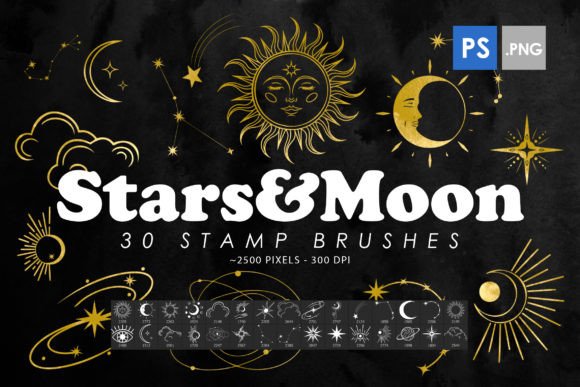
- Scrapbooking and Card Making: The decorative nature of mystic-themed stamps aligns well with digital scrapbooking. Users can quickly assemble layouts by stamping elements like stars, moons, floral wreaths, or abstract swirls, mimicking the tactile feel of physical stickers.
Evaluating Limitations and Tradeoffs
While Mystic Stamp Brushes offer significant advantages, they are not a universal solution. Designers must consider certain limitations. First, because stamps are pre-defined images, they lack the organic variability of hand-drawn elements. Overuse can lead to a repetitive, "cookie-cutter" appearance if the same stamp is used frequently without modification. To mitigate this, professionals often rotate, flip, or adjust the opacity of each stamp instance to create visual interest.
Second, the file size of high-resolution brushes can impact software performance. Loading a large .ABR file with numerous 2500-pixel stamps may increase memory usage in Photoshop. Users with older hardware or limited RAM should monitor their system resources when utilizing extensive brush libraries. Additionally, while the export to Procreate is described as easy, it is not always automatic. Users may need to convert .ABR files to .brushset or import individual PNGs depending on the version of Procreate and the specific structure of the brush file. Understanding this technical step is crucial for a smooth workflow.
Decision Factors for Professionals
Choosing between Mystic Stamp Brushes and other design resources depends on several key factors. Consider the following questions to evaluate fit:
- What is the primary output medium? If the final product is high-quality print, the resolution of these brushes is a strong asset. For low-resolution web-only projects, smaller, lighter assets might be more efficient.
- How much customization is required? If the project demands unique, one-off illustrations, standard painting brushes or vector tools may be more appropriate. If the project benefits from reusable, consistent decorative elements, stamp brushes are ideal.
- What is the existing workflow? For designers already embedded in the Adobe ecosystem, the .ABR format offers seamless integration. For those primarily using Procreate, the ease of export is a benefit, but it requires an additional step compared to native Procreate brushes.
- What is the aesthetic goal? The "mystic" theme suggests a specific visual language—ethereal, magical, vintage, or celestial. If the project aligns with this aesthetic, these brushes provide a cohesive look. If a modern, minimalist, or corporate style is required, these decorative elements may clash with the overall design direction.
Conclusion
Mystic Stamp Brushes serve as a specialized tool in the digital designer’s arsenal, offering a blend of high-resolution quality and cross-platform compatibility. Their strength lies in accelerating the creation of decorative, textured elements for both print and digital media. By understanding the distinction between stamp brushes and generative tools, and by recognizing the tradeoffs regarding variability and file size, designers can make informed decisions. For projects requiring consistent, high-quality mystical or decorative motifs, these brushes provide an efficient, professional-grade solution. However, for tasks demanding organic variation or minimal resource usage, alternative tools may be more suitable. Ultimately, the value of these brushes is realized when they are integrated thoughtfully into a broader, flexible design workflow.