Seamless Textured Digital Papers: A Practical Guide for Creators and Business Owners
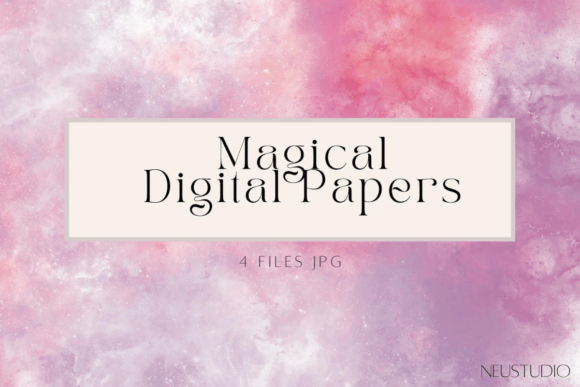
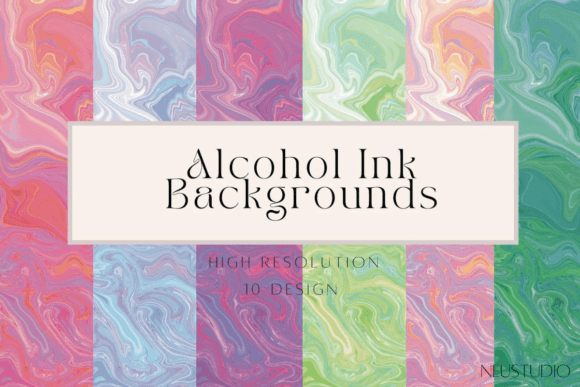
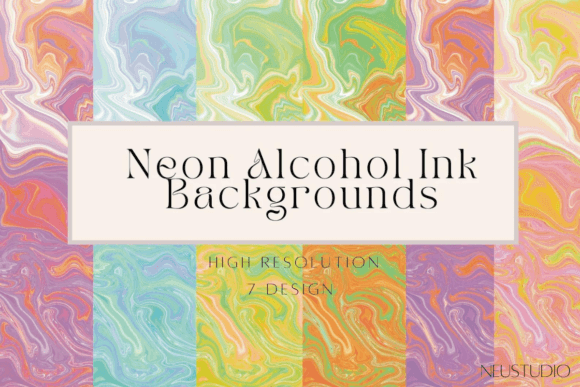
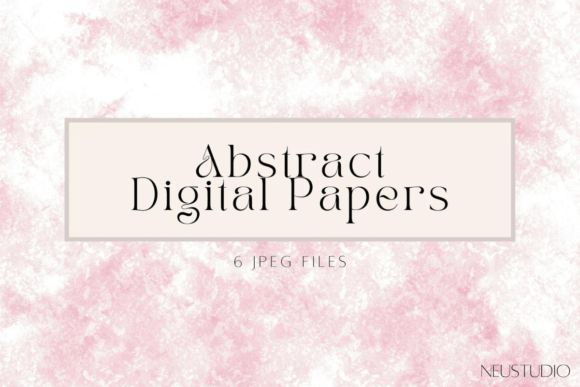
If you have ever spent hours trying to align a background pattern in Photoshop or Canva, only to see an obvious seam where the image repeats, you know exactly why quality assets matter. Seamless Textured Digital Papers solve this specific frustration by providing backgrounds that tile perfectly without visible edges. When combined with high-resolution details, such as the 400 DPI watercolor textures found in premium packs, these digital resources become indispensable tools for anyone creating visual content.
Whether you are designing a wedding invitation, building a brand identity, or simply organizing your digital life, the right background can elevate your project from amateur to professional. This guide explores how to effectively use a collection of ten 12x12 inch watercolor backgrounds across various personal and professional scenarios.
Understanding the Value of High-Resolution Seamless Textures
Before diving into specific projects, it is helpful to understand what makes these files different from standard stock images. The term "seamless" means the left edge matches the right edge, and the top matches the bottom. This allows you to extend the background infinitely in any direction. Meanwhile, "400 DPI" (dots per inch) refers to the print quality. Most web images are 72 DPI, which looks pixelated when printed. A 400 DPI file ensures that if you decide to print your design on physical paper, cardstock, or fabric, the texture remains crisp and detailed.
The watercolor aesthetic adds another layer of versatility. Unlike flat, solid colors, watercolor textures provide depth, organic movement, and a hand-painted feel. This subtle complexity draws the eye without overpowering the main subject of your design.
Professional Branding and Business Applications
For entrepreneurs and small business owners, consistency is key to building trust. Seamless Textured Digital Papers offer a cost-effective way to maintain a cohesive visual identity across multiple platforms.
Business Cards and Stationery
When designing business cards, the background often gets overlooked. Using a subtle watercolor texture can add a tactile feel to the digital proof, helping clients visualize the final printed product. Because the files are 12x12 inches at 400 DPI, they are large enough to cover standard business card dimensions with plenty of room for bleed areas. You can place your logo over a soft wash of color, ensuring the text remains legible while the background adds sophistication.
Menu and Newsletter Design
Restaurants and cafes often struggle with menu designs that look too sterile. Applying a textured background can evoke warmth and artisanal quality. Similarly, email newsletters benefit from unique headers. Instead of using generic corporate templates, you can create custom header images using these seamless patterns. This differentiation helps your emails stand out in a crowded inbox, increasing open rates and engagement.
Logo Elements and Brand Assets
While logos are typically vector-based, having raster-based texture elements can be useful for social media profile pictures or promotional graphics. You can use clips of the watercolor texture as masks or overlays for your logo, creating a dynamic, artistic variation for seasonal campaigns.
Elevating Event Invitations and Printables
The event industry relies heavily on aesthetics. From weddings to corporate galas, the invitation sets the tone for the entire experience.
- Wedding and Baby Showers: Watercolor textures are perennial favorites for romantic and soft-themed events. You can use the seamless nature of the files to create large-format backdrop designs for photo booths or printable bunting flags.
- Birthday Parties: For children’s parties, bright and playful textures can serve as the base for digital invitations sent via WhatsApp or email. The high resolution ensures that if parents choose to print them at home, the quality remains sharp.
- Holiday Cards: During the holiday season, sending physical cards is a cherished tradition. Using 400 DPI files ensures that the grain of the watercolor paper texture translates beautifully to cardstock, giving a handmade appearance without the mess of actual paint.
Digital Content Creation and Social Media
In the digital realm, speed and visual appeal are paramount. Content creators need assets that are easy to manipulate and visually striking.
YouTube Thumbnails and Video Backgrounds
A cluttered thumbnail fails to convert clicks. By using a clean, textured background, you create negative space that allows your title text and face cam to pop. Since the papers are seamless, you can easily adjust the aspect ratio from square to wide-screen (16:9) without worrying about stretching or distorting the image. This flexibility saves time during the editing process.
Phone Wallpapers and Screen Backgrounds
On a personal level, these textures make excellent device wallpapers. The organic flow of watercolor is calming and less distracting than busy photographs. You can crop the 12x12 inch files to fit your specific phone model, ensuring a custom look that reflects your personal style. For professionals, a subtle textured background on a laptop desktop can reduce eye strain compared to stark white screens.
Flyer and Poster Design
Whether you are promoting a local yoga class or a garage sale, flyers need to grab attention quickly. A textured background provides an immediate visual hook. Because the textures are neutral yet interesting, they work well with various font styles, from bold sans-serifs to elegant scripts.
Education, Journaling, and Personal Organization
Beyond commercial use, these digital papers have found a strong foothold in the educational and personal productivity sectors.
Digital Scrapbooking and Journaling
Digital scrapbooking has surged in popularity among hobbyists who want to preserve memories without the physical storage constraints. Using Seamless Textured Digital Papers as page backgrounds allows for endless creativity. You can layer photos, stickers, and handwritten notes over the watercolor textures. The seamless feature is particularly useful here, as it allows you to create double-page spreads that flow naturally without visible breaks.
Teacher Resources and Classroom Decor
Educators often create their own worksheets, certificates, and classroom posters. A gentle watercolor background can make learning materials more inviting for students. For example, a math worksheet with a faint blue watercolor wash feels less intimidating than a stark white page. Additionally, teachers can use these textures to design cohesive bulletin board borders or name tags.
Key Considerations Before You Start Designing
While these assets are versatile, getting the best results requires a bit of technical awareness. Here are a few practical tips to keep in mind:
- Check Color Profiles: If you are designing for web use (social media, websites), ensure your software is set to RGB color mode. If you are printing (invitations, business cards), switch to CMYK. Watercolors can look slightly different on screen versus on paper, so doing a test print is always wise.
- Mind the Contrast: Watercolor textures vary in intensity. Before adding text, check the contrast. If the background is dark or busy, consider placing a semi-transparent white box behind your text to ensure readability. Accessibility should always be a priority.
- File Management: A 400 DPI file is larger than a standard web image. Ensure you have adequate storage space and a reliable backup system. Organizing your files by color or theme can save you significant time when you are in the flow of creation.
- Licensing Rights: Always verify the license terms. Most digital paper packs allow for personal and commercial use, but some may restrict resale of the raw files. Understanding these boundaries protects your business and respects the creator’s work.
Making the Most of Your Creative Toolkit
The beauty of Seamless Textured Digital Papers lies in their adaptability. They are not just static images; they are foundational elements that support your creative vision. Whether you are a freelancer looking to impress a client with a polished proposal, a parent creating a memorable birthday invite, or a student organizing digital notes, these backgrounds provide a professional finish with minimal effort.
By choosing high-quality, high-resolution assets, you invest in the longevity and versatility of your designs. You avoid the need to constantly search for new backgrounds because these ten core textures can be manipulated, colored, and cropped to suit countless needs. The key is to experiment. Layer them, blend them, and use them as canvases for your ideas. In a world saturated with generic digital content, adding a touch of organic, hand-painted texture can be the subtle difference that makes your work resonate with your audience.