Evaluating the Fall Watercolor Circles PNG Bundle for Creative Projects
Seasonal design elements play a pivotal role in establishing mood and visual identity, particularly during the autumn months. For designers, crafters, and content creators, selecting the right assets can significantly impact the efficiency and aesthetic quality of a project. The Fall Watercolor Circles PNG Bundle has emerged as a popular resource for those seeking organic, artistic touches without the time commitment of creating watercolor effects from scratch. This article explores the specific attributes of this bundle, compares it to alternative design resources, and provides practical guidance on when these assets are the most effective choice for your workflow.
Understanding the Asset Specifications and Quality
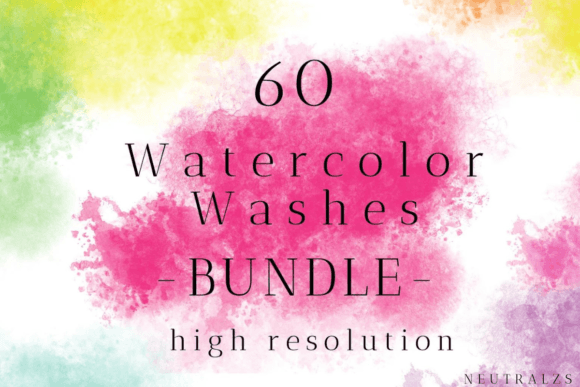
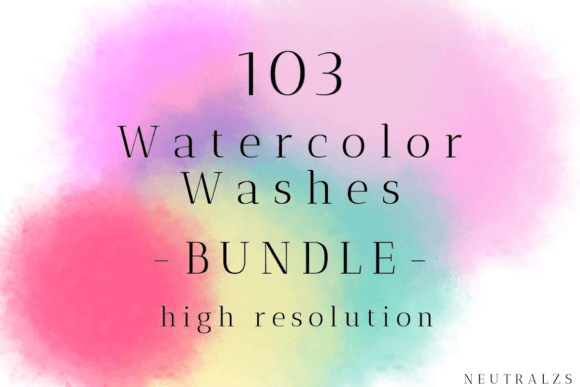
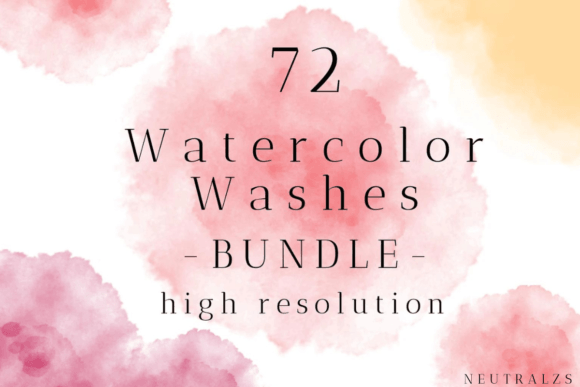
Before integrating any digital asset into a professional or personal project, it is essential to understand the technical specifications. The Fall Watercolor Circles PNG Bundle is part of a larger collection often referred to as the Fall Watercolor Washes Bundle, which includes 72 files. These files are provided in Transparent PNG format, a critical feature for seamless integration into various design software.
The resolution is listed at 1200 DPI (dots per inch) with dimensions up to 4000px. In practical terms, this high resolution ensures that the images remain crisp and detailed whether they are used for small digital icons or large-format prints. The transparency allows designers to layer these circular washes over photographs, solid colors, or textured backgrounds without unwanted white boxes or jagged edges. This level of quality distinguishes professional-grade bundles from lower-resolution alternatives found on free stock sites, which often pixelate when scaled or lack proper alpha channels for clean blending.
Comparing Watercolor Bundles to Other Design Approaches
When deciding whether to use a pre-made bundle like the Fall Watercolor Circles PNG Bundle, it is helpful to compare it against other common methods of achieving similar visual effects. Each approach has distinct tradeoffs regarding time, cost, and customization.
Pre-made Bundles vs. Custom Creation
Creating custom watercolor textures requires specific skills, materials, and time. An artist must manage paint consistency, paper texture, and drying times, followed by scanning and digital editing. For a non-artist or a professional under a tight deadline, this process is often prohibitive. The primary advantage of the Fall Watercolor Circles PNG Bundle is immediate accessibility. It offers a consistent aesthetic across all 72 files, ensuring visual cohesion in a project. However, the tradeoff is limited customization; you are working within the color palettes and shapes provided by the creator. If a project requires a very specific shade of orange or a unique brushstroke pattern not included in the set, custom creation or extensive digital color grading may be necessary.
Digital Bundles vs. Vector Graphics
Vector graphics (SVG or AI formats) are scalable without loss of quality and are ideal for logo design where precise geometric lines are needed. However, watercolor is inherently organic and irregular. Converting a watercolor effect to a vector often results in a loss of the soft, bleeding edges that define the style. Therefore, for projects aiming for a hand-painted, natural look—such as wedding invitations, blog headers, or scrapbooking layouts—raster images like those in the Fall Watercolor Circles PNG Bundle are generally superior to vectors. Vectors may be better suited for corporate branding that requires strict reproducibility, whereas watercolor PNGs excel in emotive, lifestyle-oriented designs.
Versatility and Practical Use Cases
The utility of the Fall Watercolor Circles PNG Bundle extends beyond simple decoration. Its circular format makes it particularly versatile for framing and highlighting content. Below are several practical applications where these assets add significant value.
- Social Media Content: The transparent PNGs are ideal for Instagram story stickers and highlights. The circular shape naturally fits the profile icon format, allowing creators to maintain a cohesive brand aesthetic across their social channels.
- Printables and Stationery: For invitation cards, business cards, and menu designs, the high-resolution 4000px files ensure that print quality remains sharp. The watercolor splashes can serve as subtle backgrounds or accent elements behind text.
- Digital Scrapbooking and Journaling: Users of digital planning apps can utilize these elements to create visually appealing layouts. The blend modes in apps like Procreate or GoodNotes allow the watercolor textures to interact realistically with digital paper textures.
- Web and Blog Design: These elements can break up text-heavy blog posts or serve as unique bullet points. Their organic nature adds warmth to otherwise sterile web layouts.
- Marketing Materials: Flyer design, newsletter headers, and YouTube thumbnails benefit from the eye-catching contrast of watercolor splashes against bold typography.
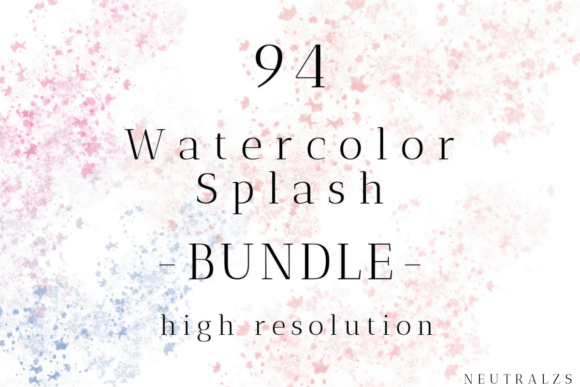
The key to leveraging these assets effectively is layering. By placing text or photos over the lighter areas of the watercolor circles, designers can create depth and focus. The Fall Watercolor Splash Clipart included in the broader bundle offers more irregular shapes for dynamic compositions, while the circles provide structure and balance.
Decision Factors: When to Choose This Bundle
Choosing the right design resource depends on specific project requirements. The Fall Watercolor Circles PNG Bundle is an excellent fit if your project demands a warm, autumnal aesthetic with minimal setup time. It is particularly suitable for:
- Seasonal Campaigns: Brands launching fall promotions can quickly update their visual identity using these ready-made assets.
- Non-Designers: Small business owners or bloggers who lack advanced Photoshop skills can achieve professional-looking results by simply dragging and dropping these PNGs into tools like Canva.
- High-Volume Content Creation: Social media managers needing daily stories or posts can rotate through the 72 files to maintain variety without creating new graphics from scratch each day.
However, there are scenarios where this bundle may not be the optimal choice. If a project requires strict brand color compliance that does not align with traditional fall tones (ochre, rust, deep red, olive), significant editing will be required. Additionally, if the design needs to be infinitely scalable for large-scale signage, a vector-based solution might be more appropriate, despite the loss of the watercolor texture.
Technical Considerations for Best Results
To maximize the quality of the Fall Watercolor Circles PNG Bundle, users should consider their software capabilities. While basic image viewers can display the files, design software that supports layers and blend modes (such as Adobe Photoshop, Illustrator, Affinity Designer, or Procreate) unlocks the full potential of these assets. Using blend modes like "Multiply" or "Overlay" can help the watercolor textures integrate more naturally with underlying images, mimicking the way real paint interacts with paper.
Furthermore, understanding file management is crucial. With 72 files, organizing the assets by color intensity or shape complexity can streamline the design process. Renaming files or creating favorites folders within design software can save time during active projects.
Conclusion
The Fall Watercolor Circles PNG Bundle represents a efficient solution for incorporating organic, seasonal aesthetics into digital and print projects. Its high resolution and transparent format offer flexibility across a wide range of applications, from social media stickers to professional printables. While it may not replace custom illustration for highly specific branding needs, it provides a compelling balance of quality, convenience, and artistic appeal. By understanding its strengths and limitations, creators can make informed decisions about when to utilize these assets to enhance their visual storytelling.